
Case management

Manage Every Funeral Case with Clarity & Precision

From the first call to final release, MortemCare gives funeral directors a complete system to track deceased records, manage case workflows, and keep every detail organized, so nothing falls through the cracks.

  • 30-minute walkthrough
  • Set up with you
  • Works on phone, tablet & desktop
app.mortemcare.com/deceased
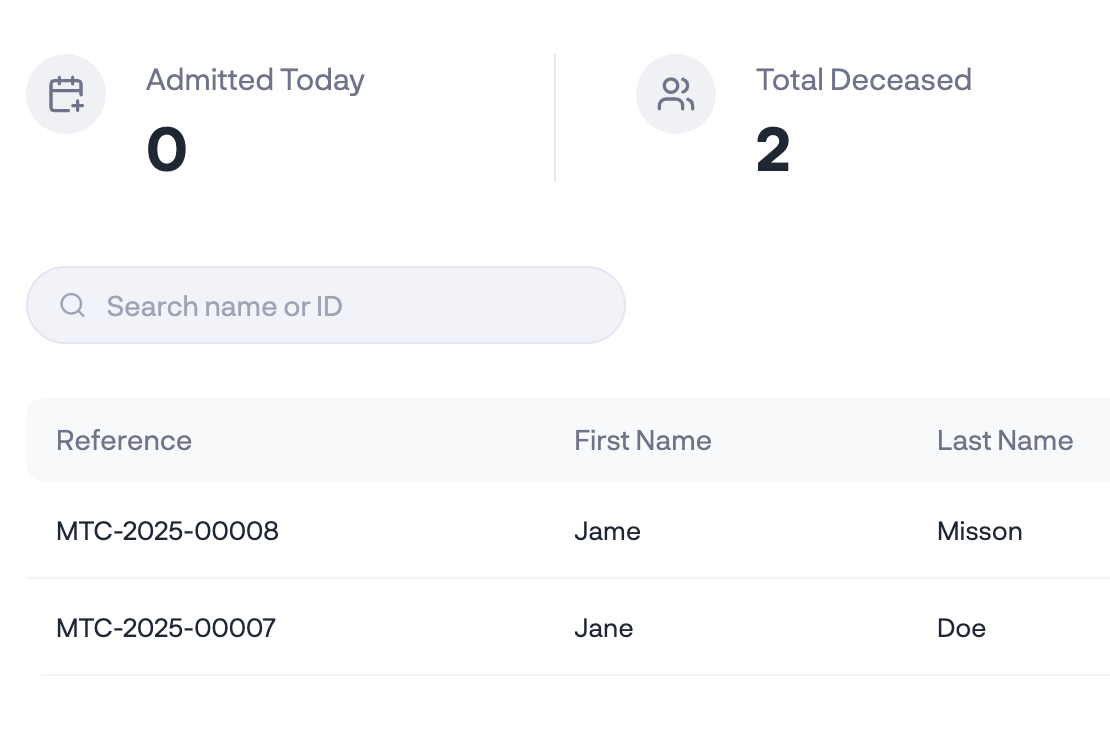
Deceased records list in MortemCare with reference IDs and statuses

Core capabilities

Everything you need to manage funeral cases

A complete set of tools built for funeral home operations, from deceased admission to case completion.

Deceased admission & records

Create complete deceased records in minutes. Capture personal details, next of kin, cause of death and admission specifics in one streamlined form.

  • Drafts save automatically so you never lose progress
  • Unique reference IDs assigned automatically
  • Track admission date, gender and status
  • Resume incomplete records any time from drafts

Case workflow & step tracking

Follow every case through a structured workflow, from intake to release. See exactly where each case stands and what needs to happen next.

  • Step-by-step case progression
  • Status updates at every step
  • Searchable case list with filters
  • Open any case in one click

Storage & movement tracking

Know exactly where every body is stored and log every transfer between units. Full traceability for accountability.

  • Live storage occupancy view
  • Every storage movement logged
  • Occupied vs. available spaces at a glance
  • Upcoming and overdue releases flagged

Reports & documentation

Generate detailed reports for internal records, family documentation or regulatory compliance. Print or share in a click.

  • Printable deceased profile reports
  • Service history & property checklists
  • Storage movement audit trail
  • Payment and invoice summaries

Case lifecycle

Follow every case from start to finish

MortemCare structures every funeral case into clear, trackable steps, so your team always knows what's been done and what comes next.

  1. Step 01

    First call & case intake

    Register the deceased and capture the essential information the moment a family contacts your funeral home.

    • Quick registration form with auto-save
    • Next of kin & contact details
    • Unique reference ID generated
    • Save as draft if details are incomplete
  2. Step 02

    Admission & property logging

    Record full admission details, assign storage, and log all personal effects received with the body.

    • Body condition & identification notes
    • Assign an available storage unit
    • Log personal belongings & clothing
    • Record receiving authority & transport
  3. Step 03

    Service planning & execution

    Add and track every service, from embalming and viewing to preparation and transport coordination.

    • Add services from your own catalogue
    • Track completion per service
    • Assign staff and log notes
    • Case progress updates as you go
  4. Step 04

    Invoicing & payments

    Generate detailed invoices, accept part payments, and track the outstanding balance on each case.

    • Invoices filled from assigned services
    • Part payments & deposits
    • Printable PDF invoices
    • Payment history per case
  5. Step 05

    Release & archival

    Confirm authorisation, mark the body as released, generate final reports, and archive the case securely.

    • Authorisation check & sign-off
    • Printable release reports
    • Property release checklist
    • Archived with a full audit trail

Ready to streamline your case management?

Organise every case, track every record and keep your team aligned, all in one place. We'll walk you through it with your own cases in mind.

Case tracking

See exactly where every case stands

Your cases dashboard gives you a bird's-eye view of every active case. See the current step, status and last update at a glance, so you always know what needs attention.

  • Status at a glance

    See which cases are pending, in progress or completed without opening each record.

  • Quick case search

    Search across all cases by deceased name, reference ID or current step.

  • Step progress

    Progress indicators show exactly how far along each case is in your workflow.

  • Last updated

    Know when each case was last touched, so stale cases get followed up.

Deceased records

Every deceased record, at your fingertips

See the big picture with live summary cards, then dive into individual records with fast search and filtering.

An instant overview of admissions, total deceased, bodies in storage and releases, updated as records change.

app.mortemcare.com/deceased